
Termpad
Termpad
Termpad
Renas Hassan
Feb 14th, 2026
Overview
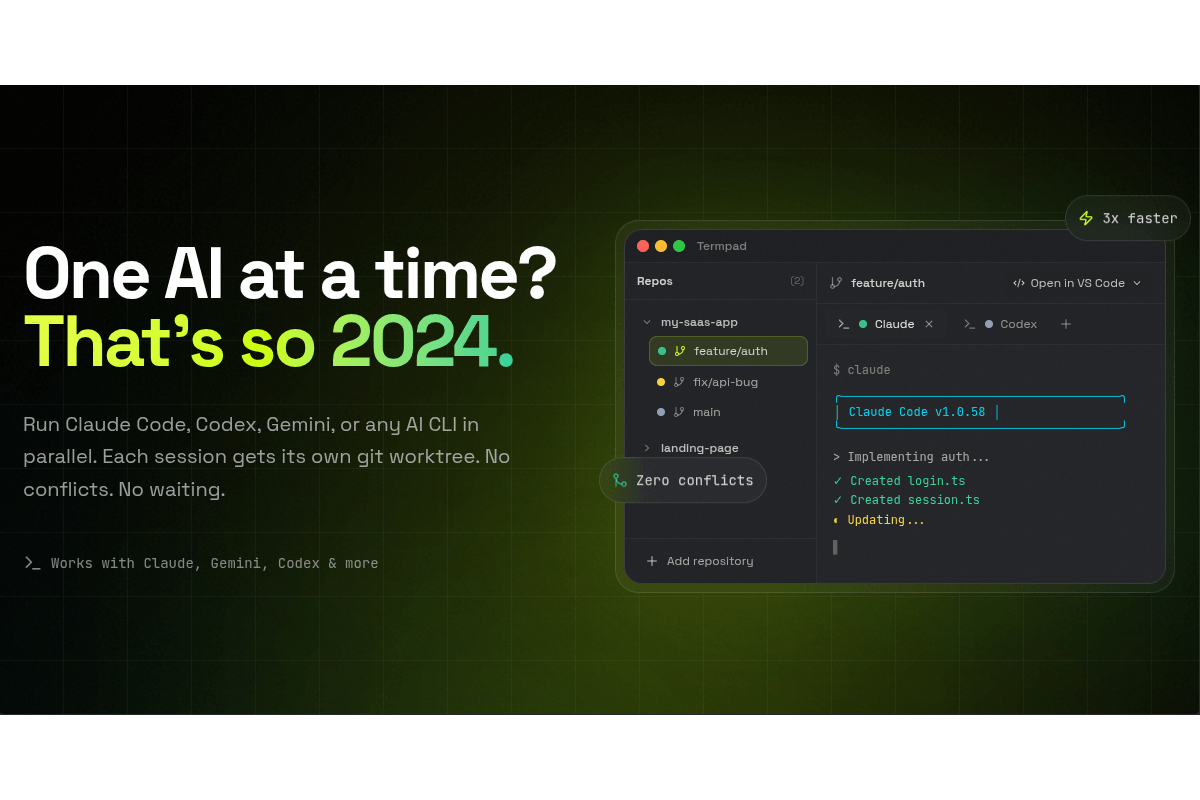
Termpad is a free Electron desktop app that lets you run multiple AI coding agents side by side, each in its own isolated git worktree. The idea is simple: instead of giving an AI agent a task, waiting for it to finish, reviewing, and then giving it the next one, you run them all at the same time. One agent builds the login feature while another tackles the API layer and a third writes the docs. Each one gets its own branch and its own copy of the codebase, so there are no conflicts during development.
The problem & motivation
When I started using AI coding tools like Claude Code, I quickly ran into a bottleneck. The workflow was inherently sequential: give the agent a task, wait for it to finish, review the output, then start the next one. Even if the tasks were completely independent of each other, I was stuck doing them one at a time.
The obvious solution was to open multiple terminal windows and run agents in parallel. But that introduced its own problems. Multiple agents working on the same codebase at the same time leads to conflicts. Files get overwritten, changes get stomped on, and you end up spending more time resolving conflicts than you saved by parallelizing.
That's when I thought about git worktrees. A worktree is basically a separate working directory that shares the same git repo but has its own branch and file state. Each agent gets its own sandbox to work in without stepping on anyone else's toes. The problem was that managing worktrees manually is annoying - creating them, tracking which one is doing what, switching between terminals, reviewing changes across branches. That's the gap Termpad fills.
Key features & functionality
- Create and manage multiple git worktrees from a single dashboard
- Run any CLI tool in each worktree (Claude Code, Gemini CLI, Aider, Codex, or anything else)
- Built-in terminal with xterm rendering and status monitoring (idle, running, waiting, error)
- Desktop notifications when a terminal changes state, so you know when an agent finishes or needs input
- Source control panel with file change tracking, staging, and a built-in diff viewer
- Commit, push, and pull directly from the app
- Open any worktree in your editor (VS Code, Cursor, etc.) with one click
- Configurable setup, run, and cleanup scripts per project
- Keyboard shortcuts for fast navigation
- Works on Windows, macOS, and Linux
Tech stack
- Core: Electron, TypeScript
- Frontend: React, Vite, Tailwind CSS, Radix UI, Zustand
- Terminal: xterm.js, node-pty
- Git: simple-git, chokidar (file watching)
- Build: electron-forge (packaging for Windows, macOS, Linux)
- Testing: Vitest, Testing Library
Challenges & learnings
Designing for Parallel AI Workflows
The biggest design challenge was figuring out how to present multiple concurrent terminal sessions without it becoming overwhelming. Each session has its own terminal output, its own set of file changes, its own branch. The user needs to be able to glance at the sidebar and immediately know the status of each agent - is it running, is it idle, did it hit an error?
I spent a lot of time iterating on the sidebar and notification system. Color-coded status indicators and desktop notifications ended up being the right balance. You don't need to babysit each terminal. You set them up, let them run, and get notified when something needs your attention.
Terminal Rendering with xterm.js
Getting xterm.js to work properly in Electron was trickier than expected. The terminal needs to feel native - proper colors, cursor behavior, scrollback, resize handling. I used node-pty on the main process to spawn real PTY sessions and pipe the output to xterm.js on the renderer side through IPC.
One thing I learned is how important it is to handle the communication between the main and renderer processes carefully. Electron's IPC is the bridge between the native system (file access, git operations, terminal processes) and the UI. Getting this architecture right early on saved me a lot of headaches later.
Git Worktree Management
Git worktrees are powerful but they have quirks. If you delete a worktree directory without properly removing it through git, you end up with orphaned entries. If two worktrees try to check out the same branch, git complains. I had to build a layer on top of simple-git that handles these edge cases gracefully - auto-detection of existing worktrees using chokidar for file watching, proper cleanup on removal, and branch conflict prevention.
Port assignment was another thing I hadn't thought about initially. If you're running a dev server in each worktree, they all try to use the same port. Termpad lets you configure port assignments per worktree so you don't get conflicts.
Cross-platform Distribution
Shipping an Electron app on three platforms is its own challenge. Windows uses Squirrel for installation, macOS uses DMG, and Linux has AppImage, .deb, and .rpm. Auto-update works differently on each platform too. On Linux, system-managed packages (deb/rpm) can't auto-update since the package manager owns those files. I had to detect this and show a manual download link instead, rather than attempting an update that would silently fail.
Diff Viewer
Building the diff viewer was one of the more satisfying parts. I wanted something that felt like a proper code review tool: side-by-side diffs with syntax highlighting, file tree navigation, and line-level selection for staging. Parsing unified diffs and rendering them with proper syntax highlighting required building a custom diff parser on the main process and sending structured data to the renderer for display.
Outcome & links
Termpad is live and free to download. It supports any AI CLI tool - Claude Code, Gemini CLI, Aider, OpenAI Codex, or even just regular terminal sessions.
I use Termpad myself for all my coding now and it has sped me up a lot. I get a nice overview of all my projects and all features within each project. Being able to glance at the sidebar and see the status of every agent across every repo, then jump into any terminal or review changes instantly, has completely changed how I work.